AI CCTV Surveillance Your Cameras Record. Our AI Watches Every Frame.
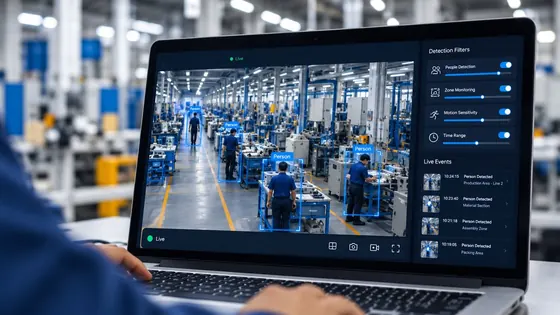
Conversantech’s AI CCTV surveillance turns the CCTV you already own into an AI observer that reads behaviour, guards restricted zones, detects meaningful events, and creates alerts and reports across every camera, all day.
- Event Types
- 19+
- Always Watching
- 24×7
- Deployment Options
- 3
- AI Projects Delivered
- 85+
The Blind Spot in Every CCTV Room
A camera records. It does not notice. Footage only helps after something goes wrong, and only if someone has hours to scrub through it. The small daily losses never surface at all.
What You Get Today
- A recording to replay after the fact
- Evidence, if you know where to look
- Live tiles nobody watches
What You Never Hear
- The shutter opened 40 minutes late
- Someone is on the phone in the kitchen
- A restricted zone was entered at 02:10
THE PLATFORM
How AI CCTV Surveillance Works, in Three Steps
Your Cameras Stay As They Are
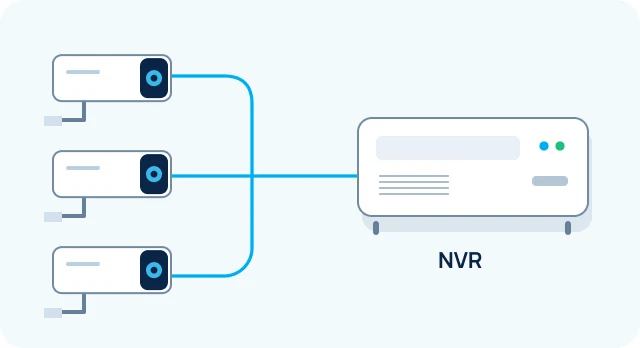
We read the streams from your existing NVR. No rewiring, no new hardware for your team to learn.
AI Watches Every Frame
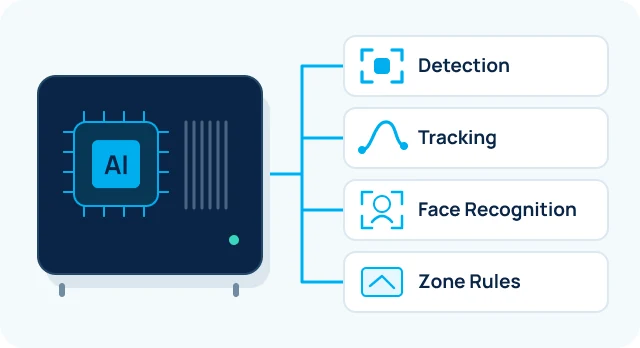
An on-site device handles detection, tracking, face recognition and zone rules. Video never has to leave the building.
The Portal Does The Talking
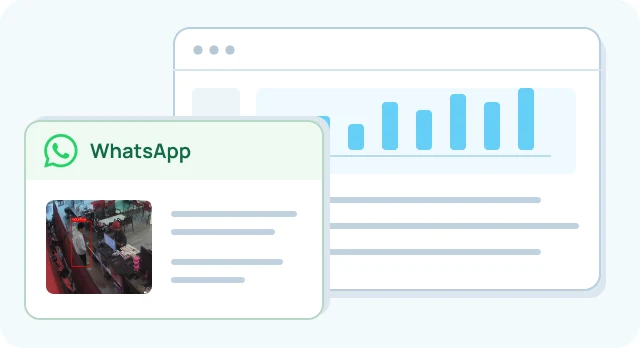
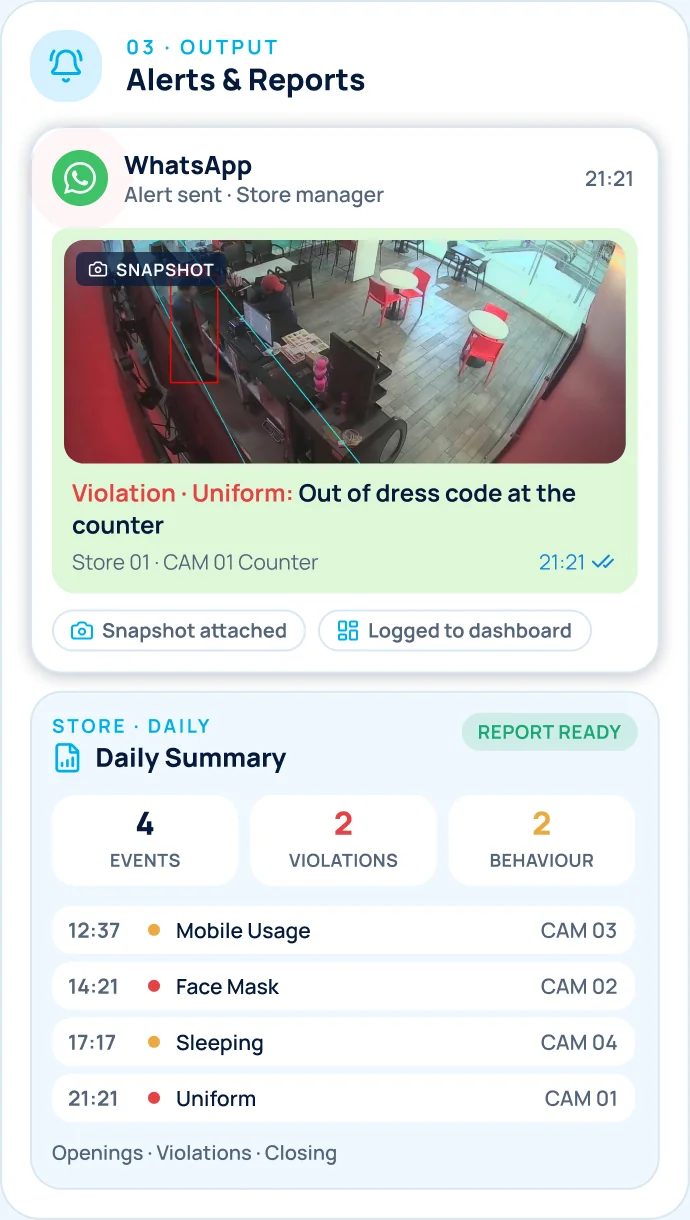
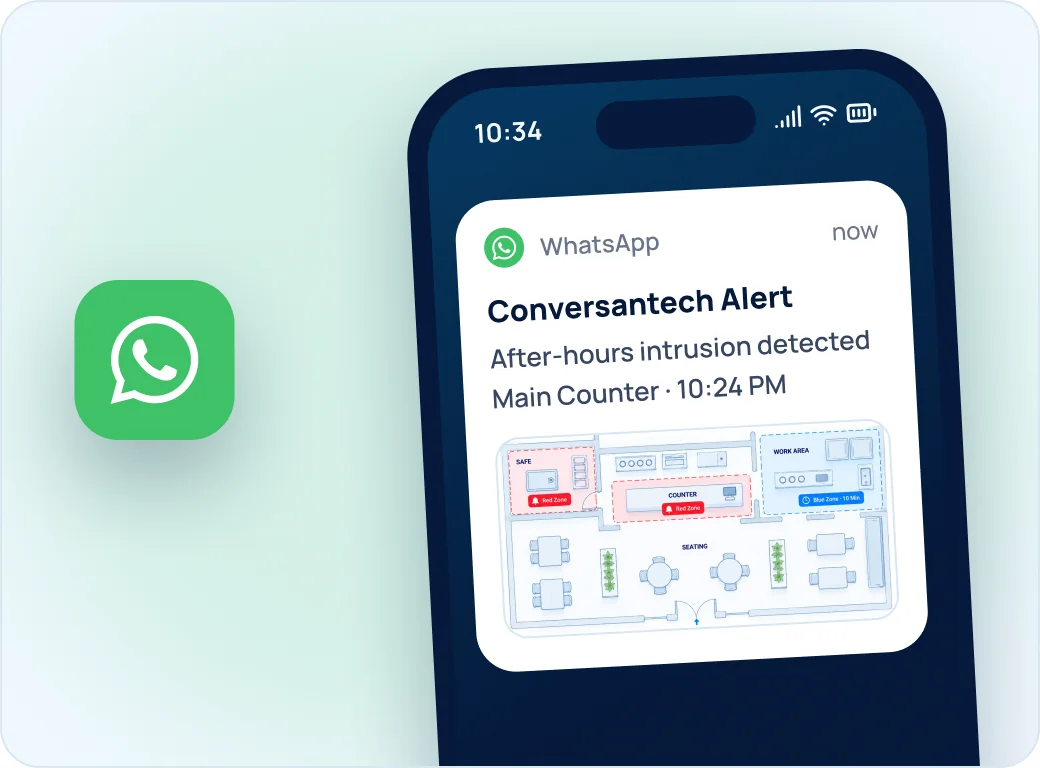
Alerts reach WhatsApp in seconds with a snapshot attached. Dashboards and reports hold the detail.
DEPLOYMENT
Built The Way Your Site Needs It
Fully On-Premise
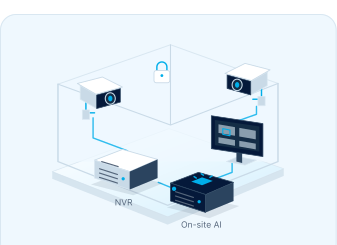
Everything inside your own network. Nothing leaves the building. The default for vaults and production floors.
Edge + Cloud
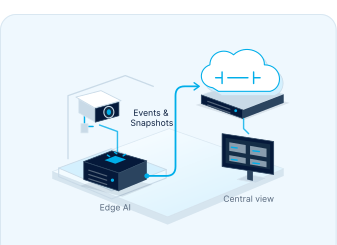
Video is processed on site; only events and snapshots sync up. Low bandwidth, central view across many sites.
Managed Cloud
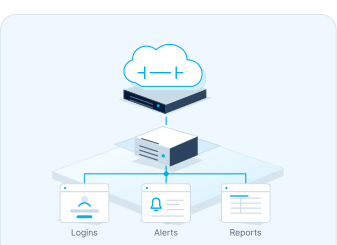
We host and run the whole stack. You get logins, alerts and reports; we handle the rest.
ARCHITECTURE
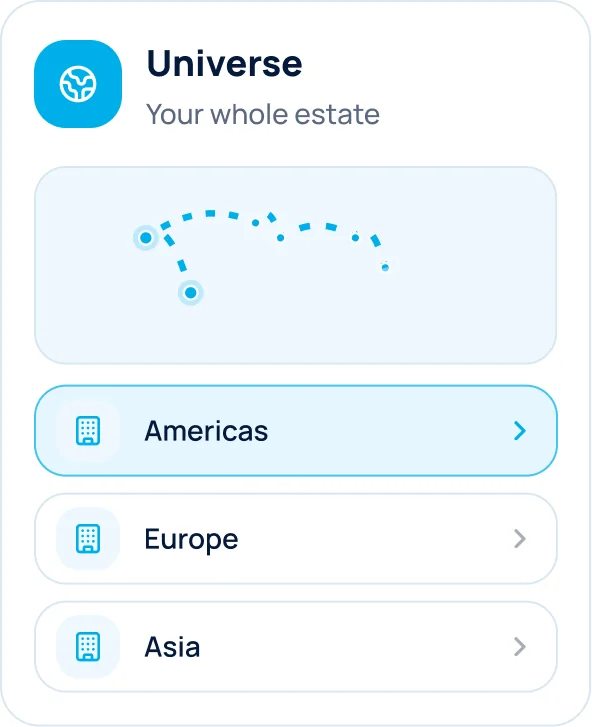
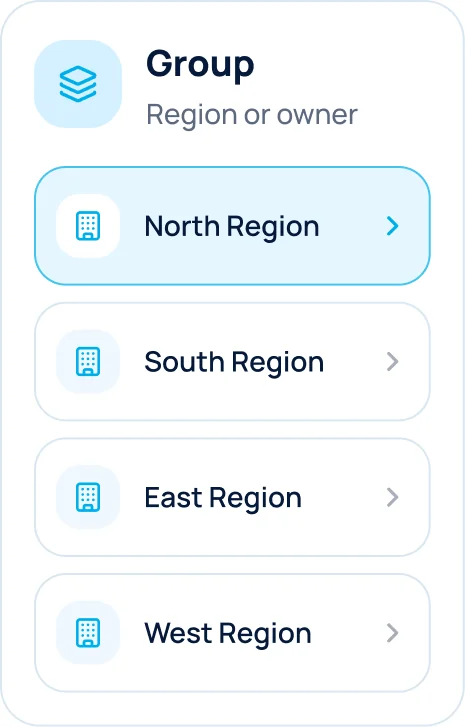
One Structure, Any Scale
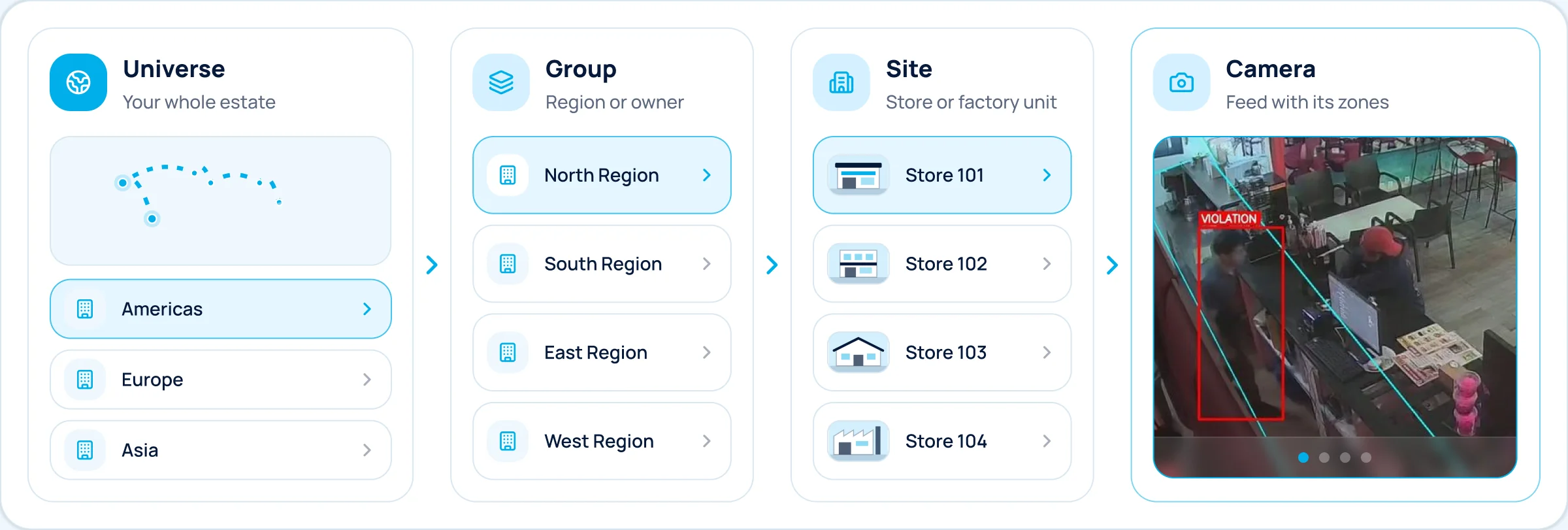
Configured To Your Floor
Any use case on any zone, per-site shift windows, alert routing by role, and the whole interface in English or Spanish.
Operated, Not Just Installed
Device health alerts, over-the-air updates, a full audit log, and role-based access, all managed by us after go-live.
USE CASE 01
AI CCTV for Cafés & Retail Stores
It answers what an owner cannot be there to ask: did we open on time, is the floor being run properly, and is the store really empty when it is locked?
What The System Detects
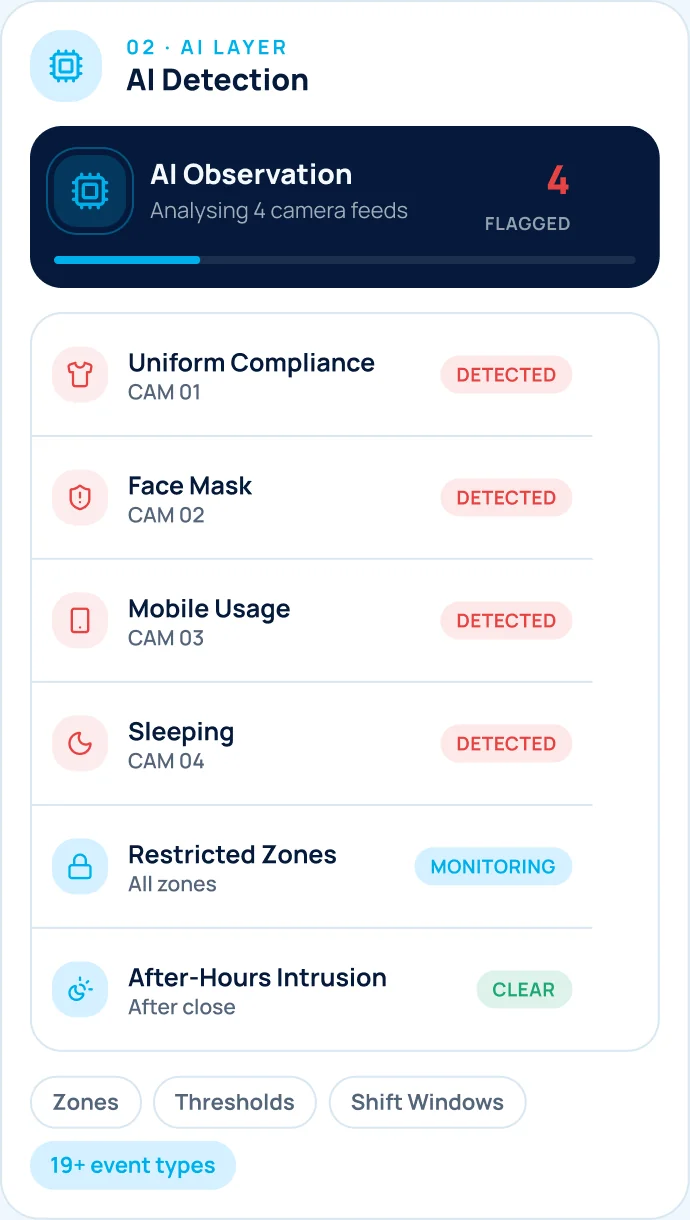
- Mobile UsageHandset in a work zone
- SleepingMotionless past a threshold
- Inappropriate ConductOutside workplace policy
- After-Hours IntrusionAnyone in, out of hours
- Staff Entry By FaceArrival marked automatically
- Store-Empty CheckFloor clear at closing
- Open & Close TimingFirst entry, final lock-up
- Uniform ComplianceOn the floor, out of code
- Face MaskHygiene in food areas
- Door ActivityCustomer entry patterns
- Restricted ZonesCounter, safe, stockroom
- Dwell RulesYour own time limits
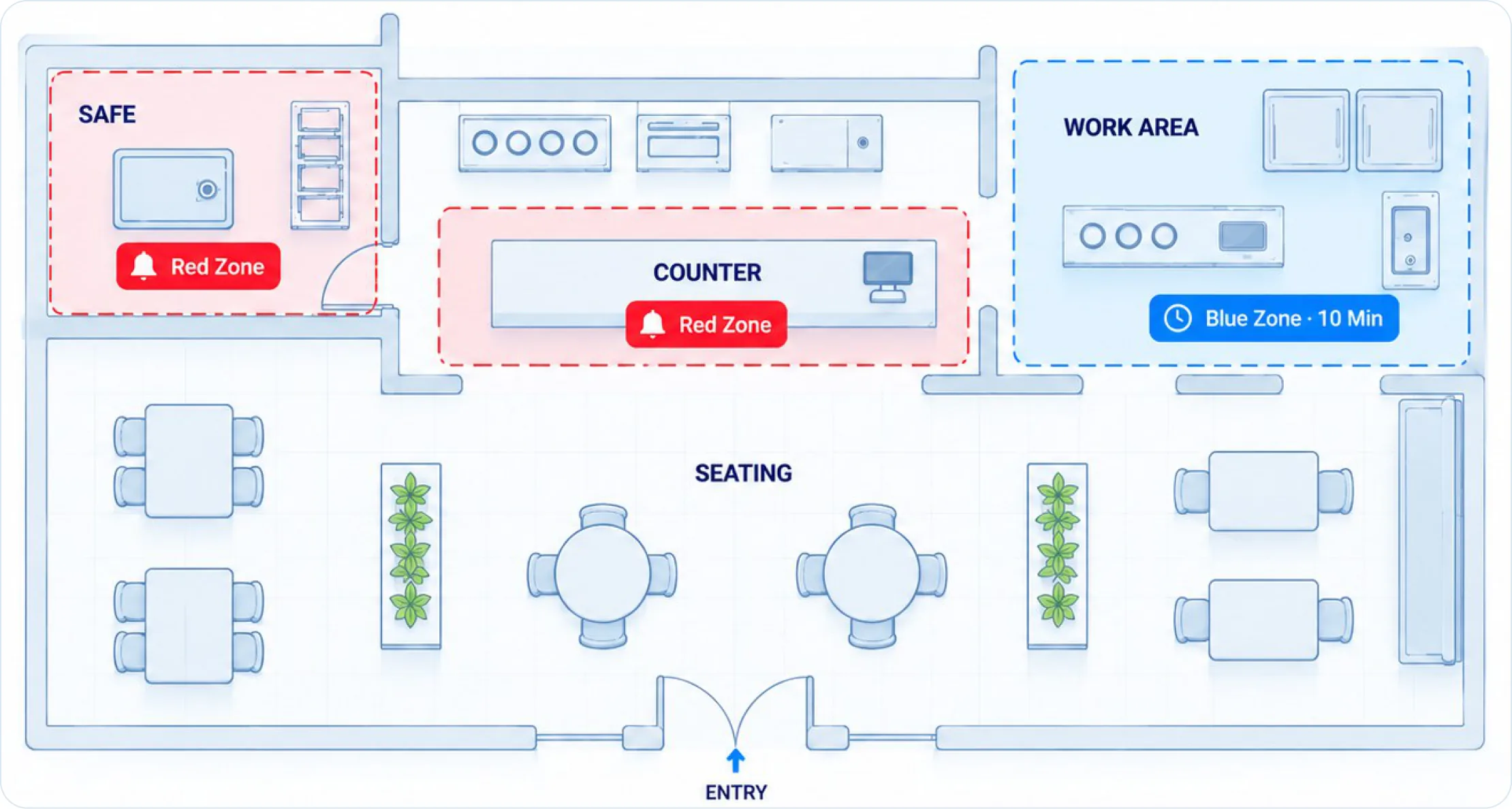
Red Zones & Blue Zones
Red Zones: Alert Instantly
Where being there is the problem: the safe, the counter after hours. Cross the line and the alert fires with a snapshot.
Blue Zones: Alert After 10 Minutes
Where a short visit is normal but lingering is not. Routine work never creates noise.
WhatsApp Carries The Headline
The Dashboard Carries The Detail
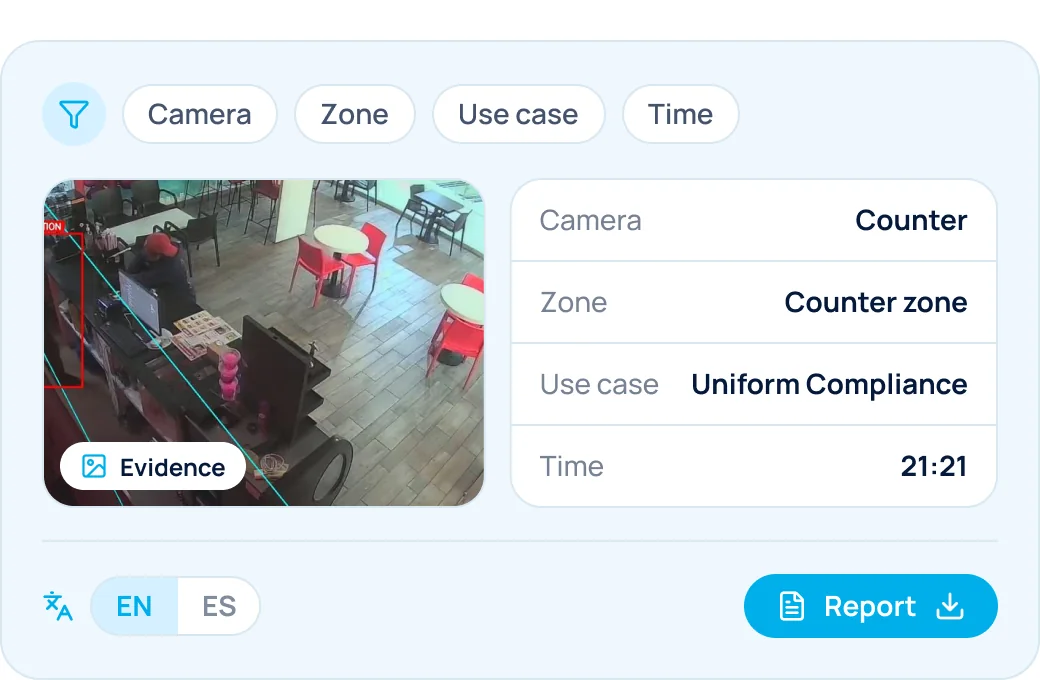
Filter by camera, zone, use case or time. Export any report. English or Spanish.
FROM THE LIVE SYSTEM
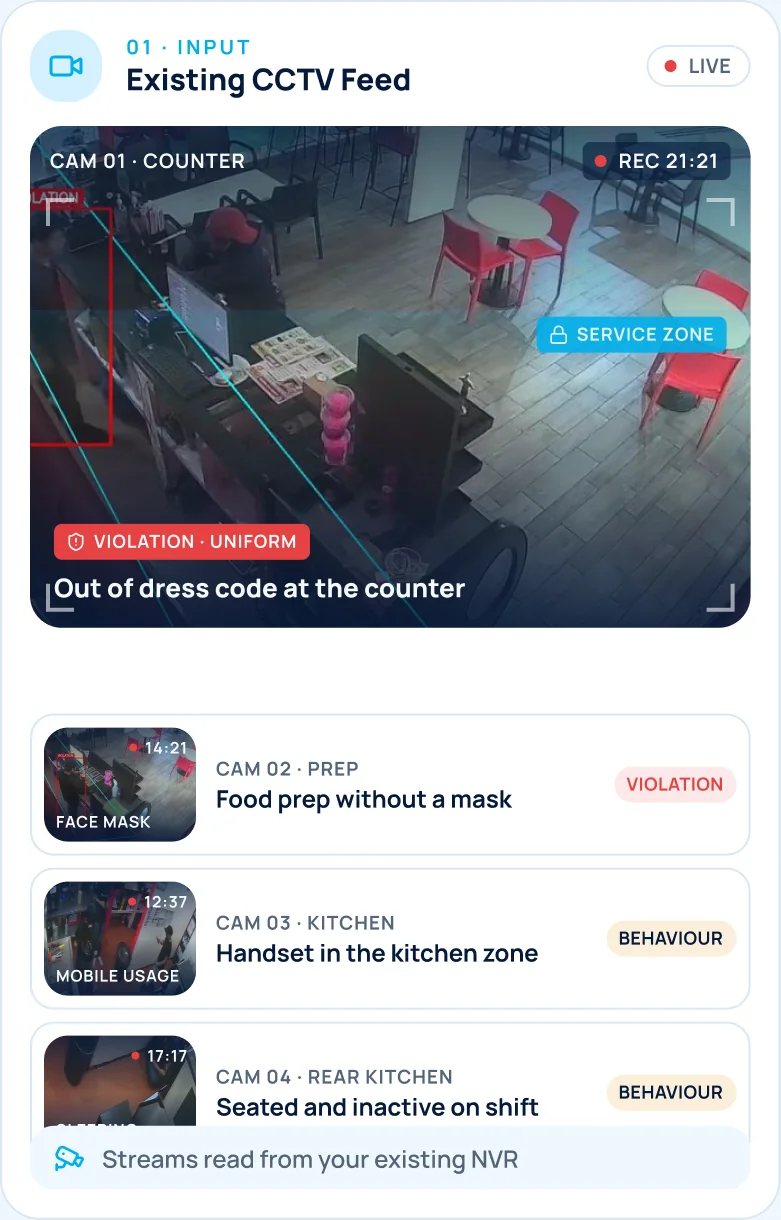
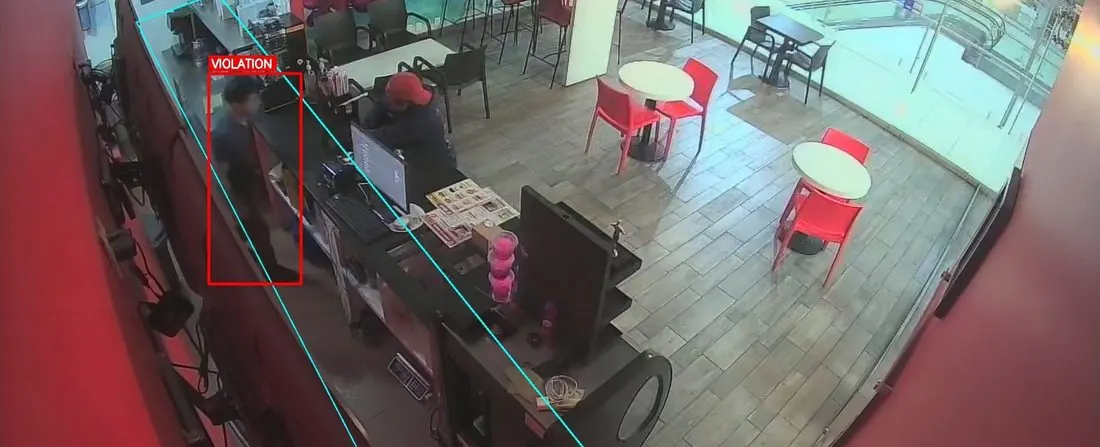
Every Alert Arrives With Its Evidence
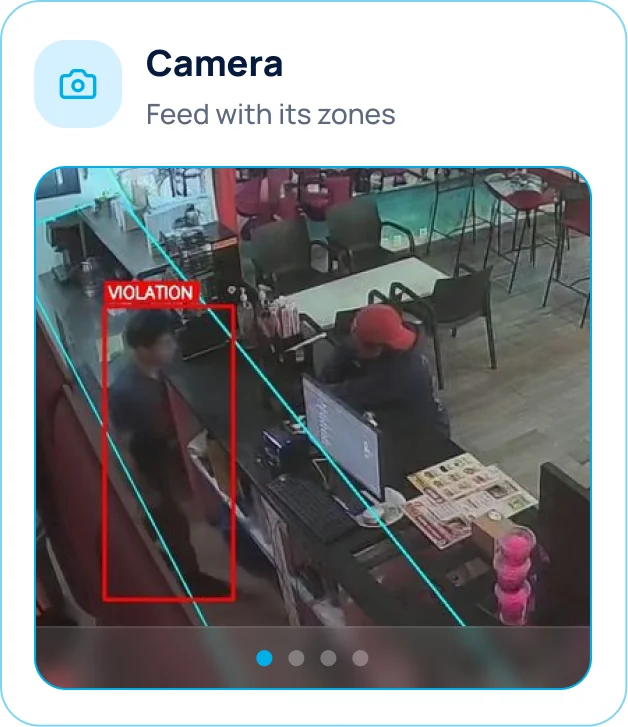
Every detection arrives as a flagged frame, not a vague notification. The overlay shows the zone and the person at the moment the rule broke, so a manager decides in seconds.
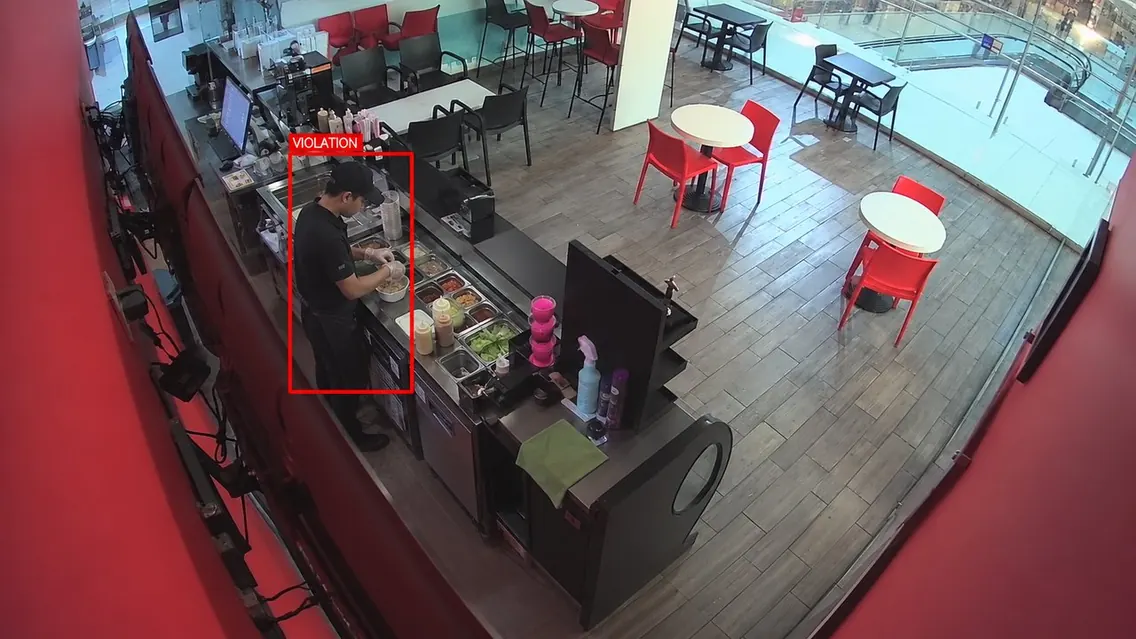
Mask Violation
Food prep without a mask.
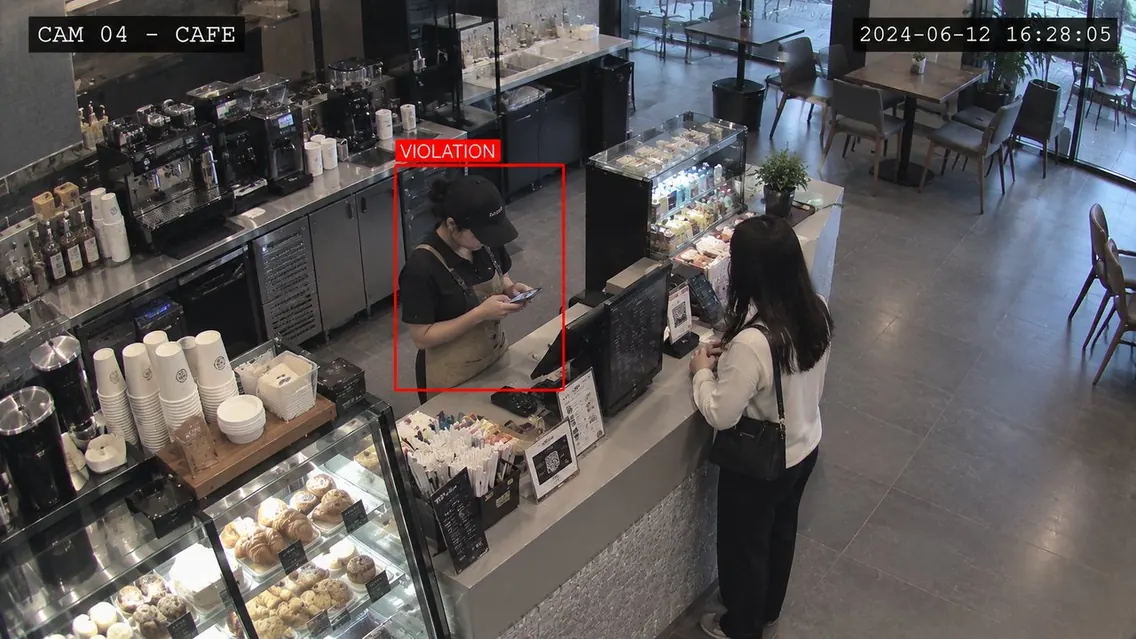
Mobile Usage Violation
Handset used inside the kitchen zone.
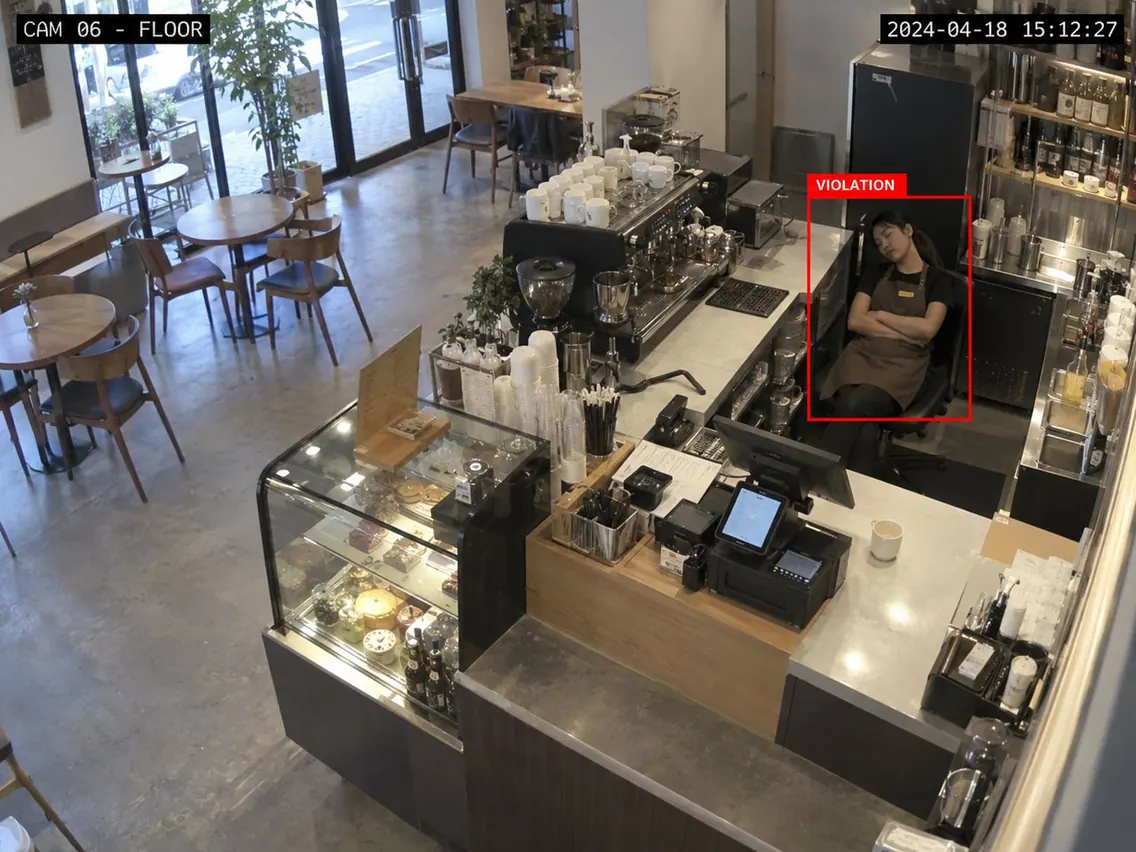
Sleeping Violation
Seated and inactive during the shift.
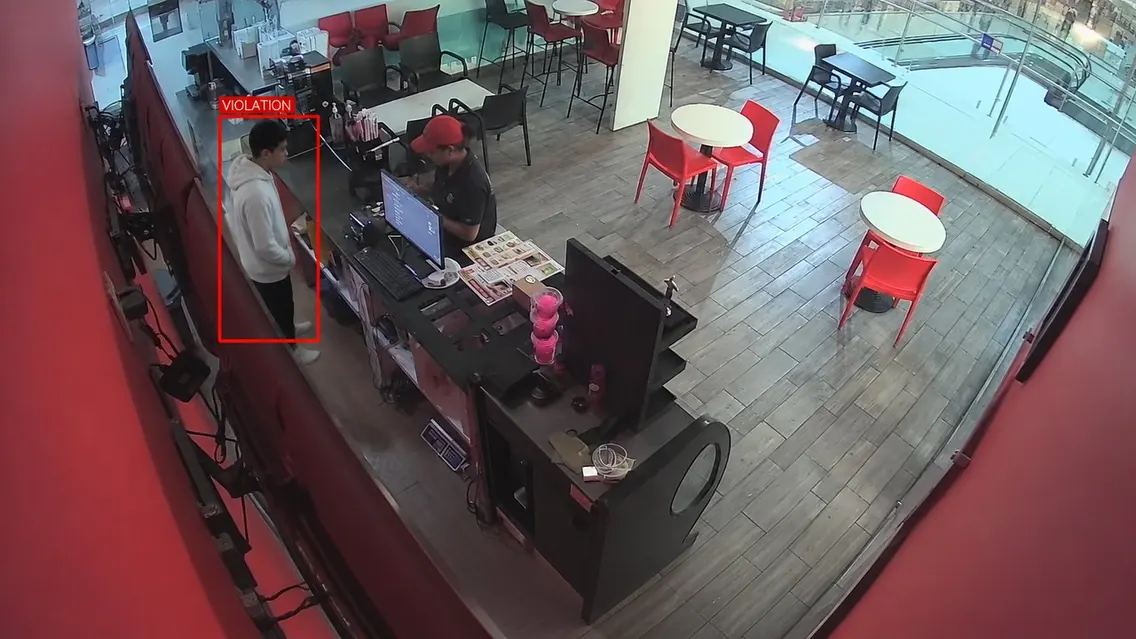
Uniform Violation
Out of dress code at the counter.
REPORTING
Nine Reports.
Three Audiences.
The same data, tailored for the people who need it. Store, Group and Ops get the right view, without extra noise.
Store Reports
Daily, weekly and monthly insights to keep the store running on track.
Store · Daily
Openings, violations, closing summary.
Store · Weekly
Trends and repeat offences.
Store · Monthly
Compliance score and key metrics.
Group Reports
Multi-store and ranking insights across locations.
Group · Daily
Multi-store snapshot
Group · Monthly
Store-by-store ranking
- 1
- 2
- 3
Ops Reports
Operational visibility for system health, performance and improvement.
Ops · Daily
Device health, open alerts
Ops · Weekly
Accuracy and feedback
Ops · Monthly
Fleet performance
Live Alerts
Instant alerts routed to the right people in real time.
Live Alerts
Instant, routed by role
- Store
- Group
- Ops
USE CASE 02
Diamond Manufacturing &
Production Floors
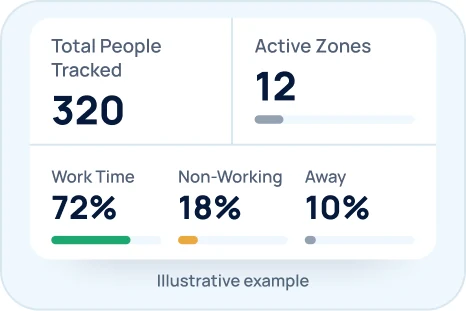
Not what happened, but how the day was actually spent. AI workforce analytics tracks each person across their department's cameras and resolves the shift into three states: Working, Non-Working and Away.
Working
At their position and engaged. Time counts toward output.
Non-Working
In the zone but idle, on a handset or turned away from the work surface.
Away
Outside the work area, measured against the shift so breaks read as breaks.
Exceptions Raised Automatically
Arrived Late
Three days running. A pattern, not a one-off
Away Time Rising
Up 40% on their own previous week
Worked 12h+
Overwork caught before it becomes an issue
Below 6 Hours
Short shifts, by name and department
Why Teams Choose Conversantech
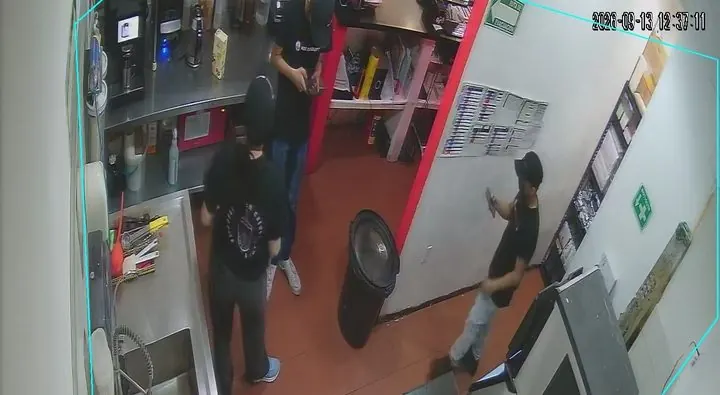
Built for real sites, real people and real work. A surveillance system that fits the way your teams actually operate.
- NVR-ReadyNo new cameras
- On-PremiseVideo stays on site
- 4-Week PilotSurvey to decision
Your Video Never Has To Leave
The whole stack can run on hardware inside your premises. For vaults and production floors that is not a preference, it is the requirement.
Customised To Your Floor
Zones, thresholds, shift windows and report formats are set to how your site actually runs, not a fixed template.
Built For Real Conditions
Fisheye lenses, poor light, night footage, overlapping people. Calibrated on live site footage, not clean datasets.
Two Industries In Production
Cafés and diamond units are running today. The engine transfers to any floor where people, zones and time matter.
How We Engage
- Pilot on one site, a limited camera set
- Calibrated on your footage, not a demo reel
- Scale camera by camera, site by site
- Training and ongoing tuning included
What You Own
- Your footage, on your own infrastructure
- Every event, report and export
- Configuration you can change anytime
- No lock-in on data formats
A Pilot Runs In Four Weeks
From site survey to real numbers on your own floor, a working pilot in four weeks.
- 01
Week 1 · Survey
Camera audit and zone mapping.

- 02
Week 2 · Live
Device installed, first alerts flowing.

- 03
Week 3 · Tuning
Thresholds refined on your feedback.

- 04
Week 4 · Decision
Real numbers from your own floor.

Questions Before You Put AI On Your Cameras
Clear answers about cameras, privacy, alerts, deployment and how we validate the system on your own site.
What is AI CCTV surveillance?
AI CCTV surveillance is software that watches your existing camera feeds in real time and turns what it sees into events: behaviour, restricted-zone entries, attendance and opening or closing checks. Instead of storing footage for someone to replay later, it sends an alert with a snapshot the moment a rule is broken and compiles the day into reports for store, group and operations teams.
Do we need to replace our existing cameras or NVR?
No. Conversantech reads the streams from your existing NVR, so your cameras can stay as they are. There is no need to rewire the site or replace the CCTV system your team already uses.
Does our video have to leave the building?
No. The fully on-premise option runs detection, tracking, face recognition and zone rules on a device inside your own network, so footage never leaves the site. If you want a central view across many sites, the Edge + Cloud option processes video locally and syncs only events and snapshots. A managed cloud option is also available.
How is staff privacy handled, and is face recognition required?
Face recognition is used only for the use cases you switch on, such as marking staff arrival, and every use case is configured per zone and per site. With the fully on-premise option, video and face data stay on hardware inside your own network, and access is role-based with a full audit log. During the site survey we agree which cameras, zones and use cases are in scope so the setup matches your workplace policy and local privacy rules.
What can the AI actually detect?
More than 19 event types, including inappropriate conduct, mobile phone use in work zones, sleeping or inactivity on shift, uniform and face-mask compliance, after-hours intrusion, restricted-zone entry, dwell time, door activity, staff arrival by face, opening and closing times, and store-empty checks at closing. Each use case is switched on per zone and per site.
Which cameras and NVRs does it work with?
It reads the video streams from the NVR you already have, so in most sites no cameras are replaced. In week 1 of the pilot we audit your cameras and NVR, confirm the streams can be read, and map each camera to its zones before anything is installed.
How do Red Zones and Blue Zones work?
Red Zones are areas where simply being there is the problem, such as the safe or the counter after hours: crossing the line triggers an instant alert with a snapshot. Blue Zones are areas where a short visit is normal but lingering is not, so an alert fires only after a time threshold you set, for example 10 minutes. Routine work never creates noise.
How are alerts delivered to the right person?
Alerts reach WhatsApp within seconds with a snapshot of the event attached, and they are routed by role, so store managers, group managers and operations each receive what is relevant to them. Every alert is also logged to the dashboard, where it can be filtered by camera, zone, use case or time.
Can access, zones, shifts and alert rules be different for each site?
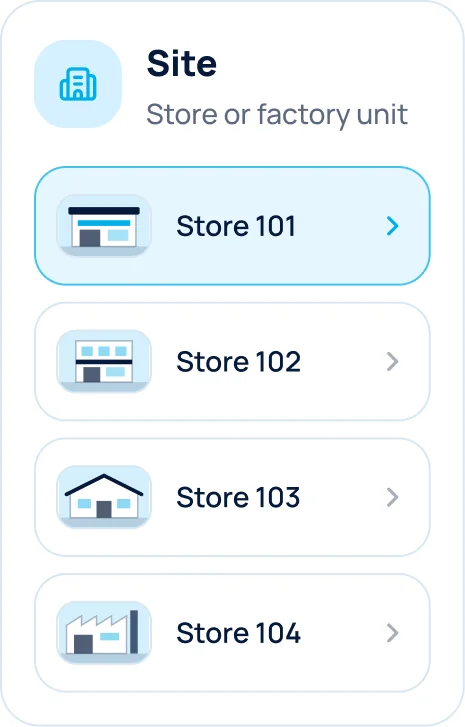
Yes. Zones, thresholds, shift windows, alert routing and role-based access are configured for each site, and the interface is available in English or Spanish. The same structure scales from a single camera to sites, regions or owner groups, and your whole estate.
What reporting does the system provide?
Nine views for three audiences. Store reports cover daily openings, violations and closing, weekly trends and repeat offences, and a monthly compliance score. Group reports give a multi-store daily snapshot and a monthly store-by-store ranking. Ops reports track device health, detection accuracy and fleet performance. Live alerts run alongside, routed by role, and any report can be exported.
How long does it take to validate the solution on our site?
A pilot runs in four weeks. Week 1 is a site survey with a camera audit and zone mapping, in week 2 the device is installed and the first alerts flow, in week 3 thresholds are tuned on your feedback, and in week 4 you decide based on real numbers from your own floor. It starts on one site with a limited camera set.
How accurate is it, and how do you avoid false alerts?
Detection is calibrated on footage from your own site, including fisheye lenses, poor light and night footage, rather than clean datasets. In week 3 of the pilot thresholds are tuned on your feedback, and Blue Zones only alert after a time limit you set, so routine work does not create noise.
How much does AI CCTV surveillance cost?
It depends on the number of cameras and sites, the use cases you need and whether you choose on-premise, edge + cloud or managed cloud. We scope it after the camera audit and start with a four-week pilot on one site with a limited camera set, so you see real numbers before committing.
Get Started
Tell Us What Your Cameras Should Be Catching.
Send us your camera list and we will map the use cases onto it, then demo on your own site type.
- Pilot on one site, a limited camera set
- Calibrated on your footage, not a demo reel
- Scale camera by camera, site by site